
New in GroKeeper 1.0.71: Admin logo options, and the admin helper is now Grobot →
See all features →
Featured
v1.0.63

GroKeeper 1.0.63, inventory ledger: every stock change, permanently recorded.

Learn more →
PlatformLaunch processPlatform overviewAll featuresStorefront & pagesBlog, news & mediaProducts & bulk importInventory & batchesCart, checkout & paymentsDiscounts & combosTax, invoices & TallyOrders & fulfilmentCustomers & careReports & analyticsAI assistantTrade partnersAPI & webhooksTeam & securitySearch & merchandisingSEO & sales channelsVariants & product optionsMulti location inventoryShipping & couriersGift cards & loyaltySubscriptionsReturns & exchangesPhone & WhatsApp ordersAutomated journeysB2B & wholesaleQuotes & quick orderLanguages & currenciesHeadless & Store APIVehicle finder & fitmentIntegrationsTemplates
SolutionsAutomationTrade & distributionD2C brandsPromotions & combosMigrationFood & FMCGBeauty & personal careFashion & apparelHealth & wellnessHome & lifestyleMulti-brand marketplaceAutomotive & mobilityManufacturers & brands
PricingCustomersBook a demo
ResourcesBlog & guidesHelp centreDocs & APIFAQAboutOur teamCustomersPartnersCompare
Help centre›Products

Add and organise products

Create clear listings with images, descriptions, pricing and availability.

6 steps · about 6 minutes

Before you start
Product photos
Prices, MRP and tax codes
Sizes or variants
  1. Create a productAdd a name, description and category.
  2. Add imagesUpload clear photos; the first image appears in listings.
  3. Set prices and sizesAdd each size or pack with its own price and stock.
  4. Add tax and SEO detailsEnter tax code and rate, plus a search-friendly title and description.
  5. Check completenessUse the completeness score to fill any missing fields.
  6. PublishMake the product live when everything looks right.
TipImport many products at once with a spreadsheet; you can preview changes before applying them.
Was this guide helpful?
In the admin
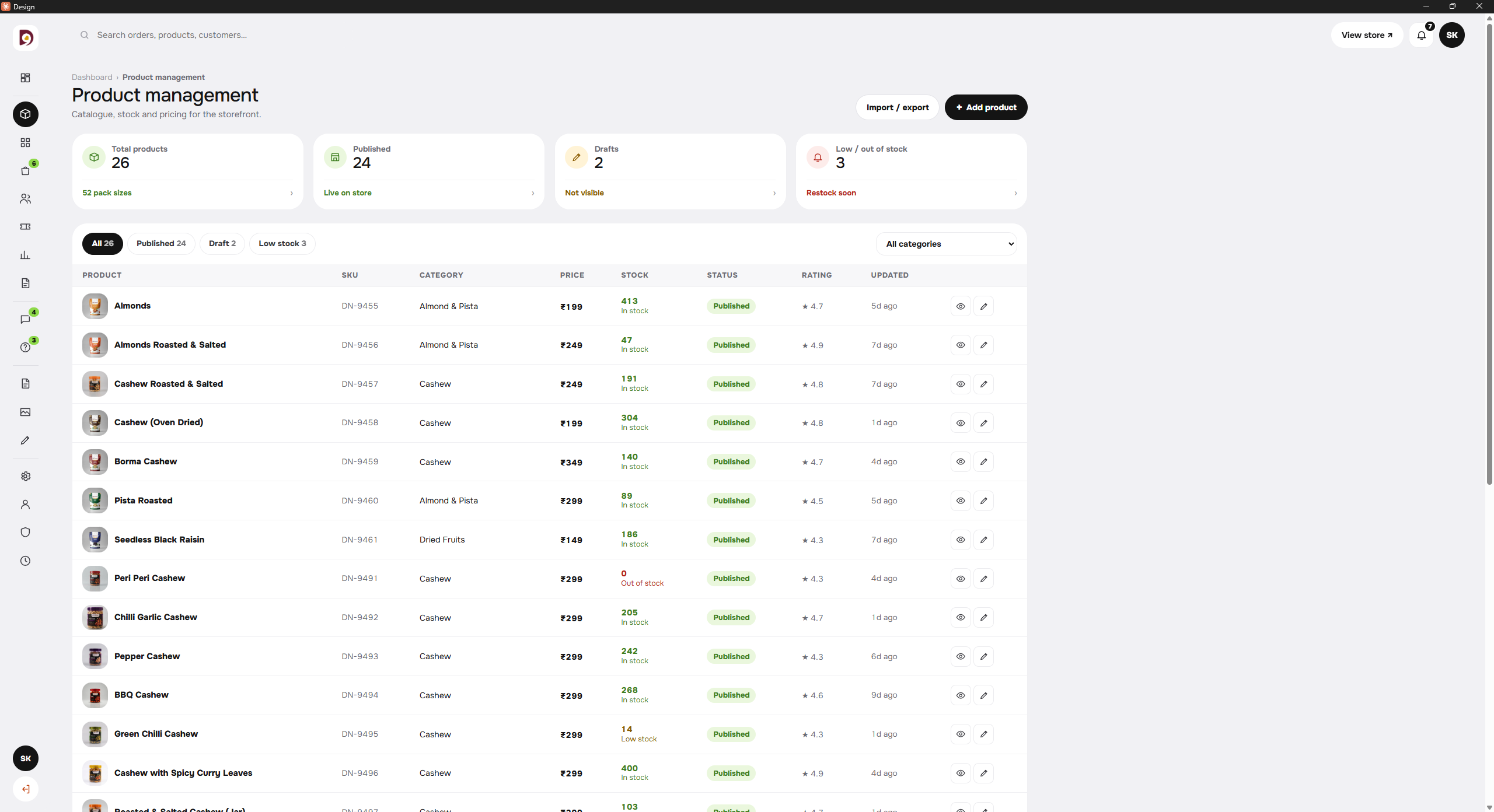
Where you’ll find it

This is the Products & stock screen in your GroKeeper admin. Your store may show different data.

GroKeeper admin · Products & stock

Need more detail? See the full admin guide or contact support.

Build. Sell. Manage. Grow.

Your professionally designed store and connected admin, configured for your business in seven working days.